Business Applications & Portals
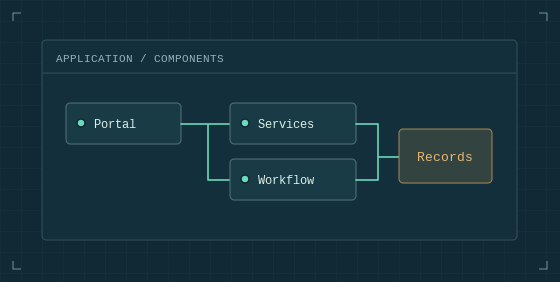
Give employees an internal portal for approvals, administration, and workflow management. Give customers or partners access to the records and actions their role allows.
Custom Software Development
When standard software cannot adequately support your business, custom applications can connect people, processes, and information around your specific requirements.
Look at the places where people leave your main application to finish a job. A spreadsheet may hold the real pricing rules. An email thread may be the only record of an approval. These workarounds reveal requirements worth examining.
We review what your existing tools already do well, what can be configured, and which gaps justify development.
Give employees an internal portal for approvals, administration, and workflow management. Give customers or partners access to the records and actions their role allows.
Build a new product or extend an existing platform. Define the account model, permissions, core workflows, and operational tools needed for the first release.
Bring operational data into a consistent view. Agree on the meaning, owner, and refresh frequency of each measure so teams can act on what they see.
Extend legacy applications with focused services, APIs, and application integrations. Document the data contract so other teams can depend on it.
Explore API integrationsObserve a typical task and an exception. Identify the people, inputs, decisions, and records involved in both.
Choose the smallest useful release. Define the architecture, acceptance criteria, integrations, and ownership of data.
Develop in increments. Review working software with users and test permissions, calculations, and system boundaries.
Prepare release notes, operating instructions, and maintenance documentation. Agree on a route for feedback and future changes.
Someone will need to onboard a colleague, investigate a failed import, or change an approval rule. Those tasks inform the interface, the logs, and the handover documentation from the beginning.
Expected workload guides capacity decisions. Access controls follow the roles in your organization. Integration tests cover the handoffs your team relies on, and routine tasks are tried with representative users before release.
A walkthrough of the current process is enough to start. Sanitized examples, a list of users, and the decisions they need to make help us scope discovery.
Yes, where the platform supports it. We review documentation, licenses, interfaces, and the release process to compare an extension with a separate application.
We agree on review points for working features. Your team can try representative tasks and check the results against written acceptance criteria before wider release.
We plan documentation, source access, environment handover, and support ownership with your team. Any ongoing maintenance or enhancements can be scoped separately.
Describe a workflow your current tools struggle to support. We can identify the users, records, and decisions the first release should address.